Homepage Configuration
The Sans theme offers three distinct homepage layouts to accommodate various website styles and content presentation preferences. This guide provides detailed configuration instructions for each layout type.
Available Homepage Layouts
The theme supports three homepage variations, each designed for specific use cases:
| Layout Type | Use Case | Complexity |
|---|---|---|
| Only Posts | Minimal blog or news site | Simple |
| Logo Page | Personal portfolio or branding site | Moderate |
| Blog Page | Full-featured blog with hero section | Advanced |
1. Only Posts Layout
This streamlined layout presents a chronological list of posts with titles and publication dates, ideal for content-focused websites.
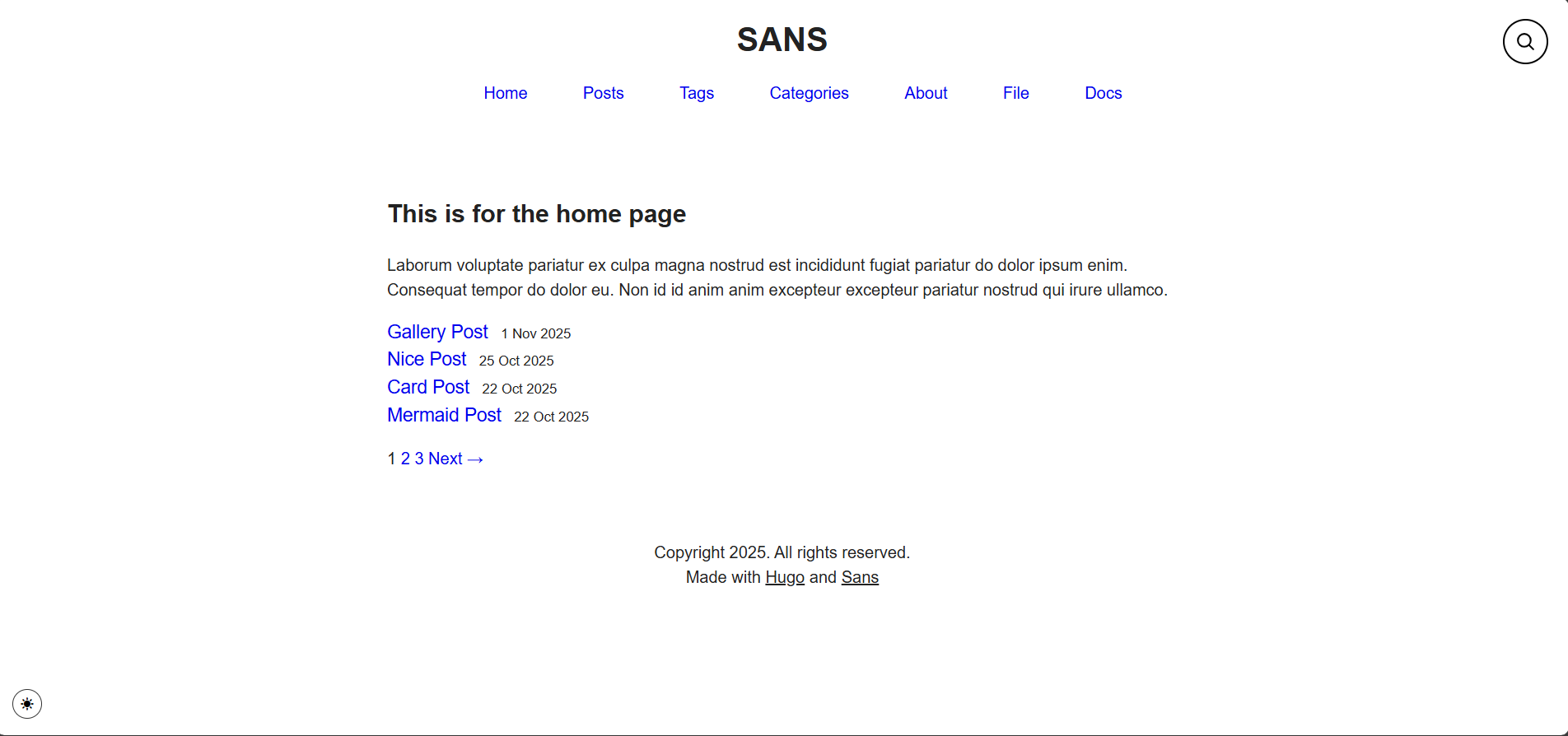
Fig: Only Posts Homepage Layout
2. Logo Page Layout
A centered avatar-based layout featuring minimal biographical information, suitable for personal portfolios and professional profiles.
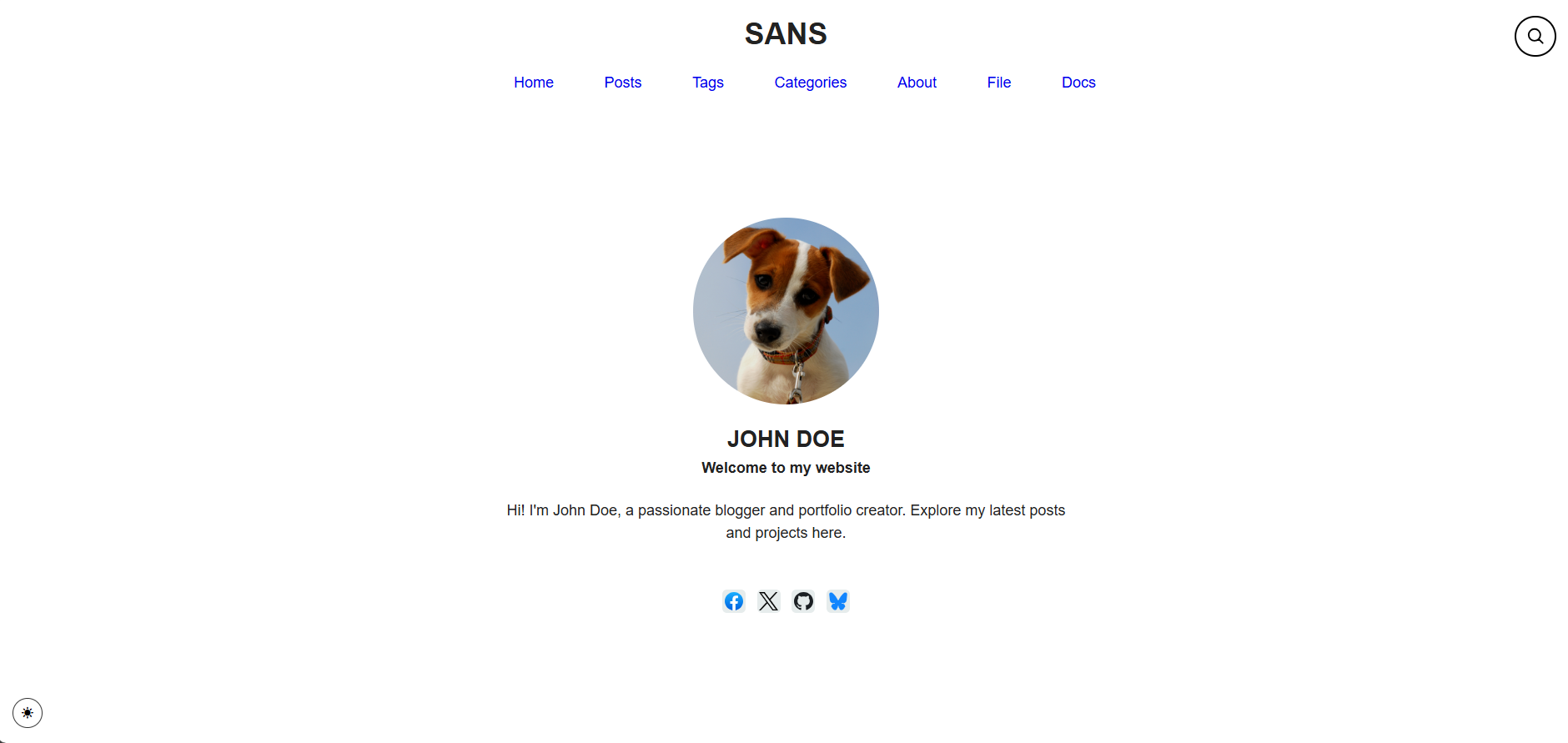
Fig: Logo Page Homepage Layout
3. Blog Page Layout
A comprehensive blog homepage featuring a hero section, newsletter integration, and enhanced post previews with metadata and cover images.
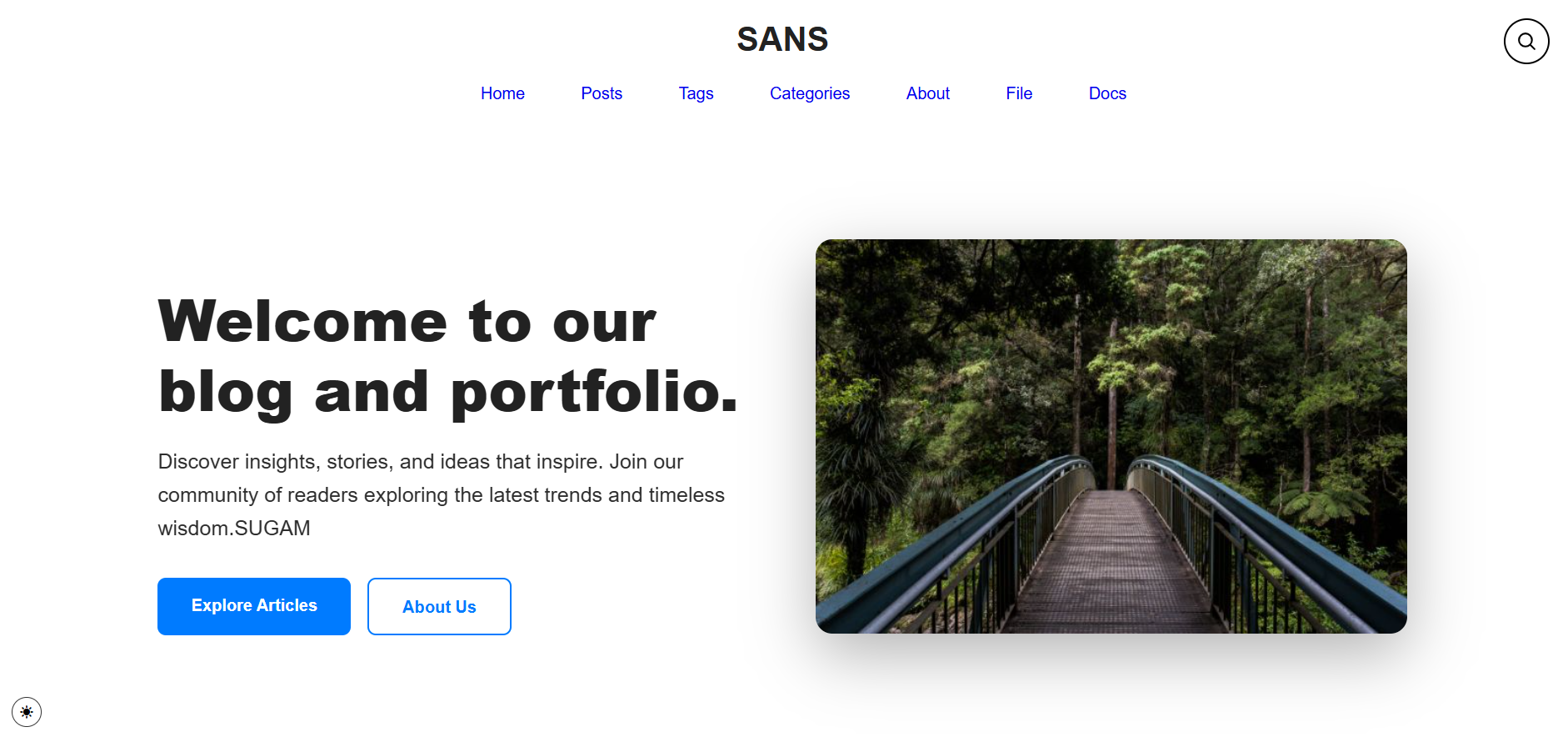
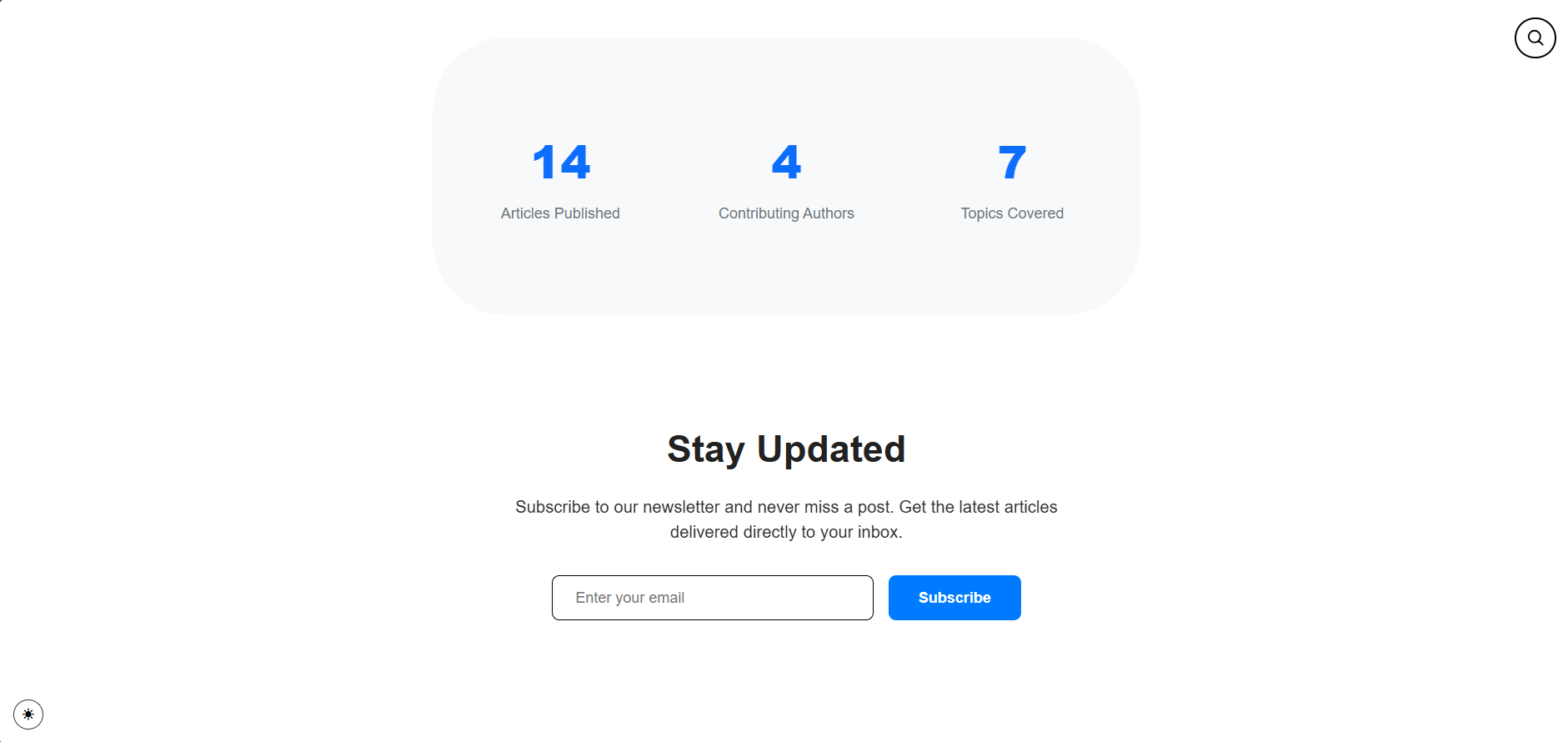
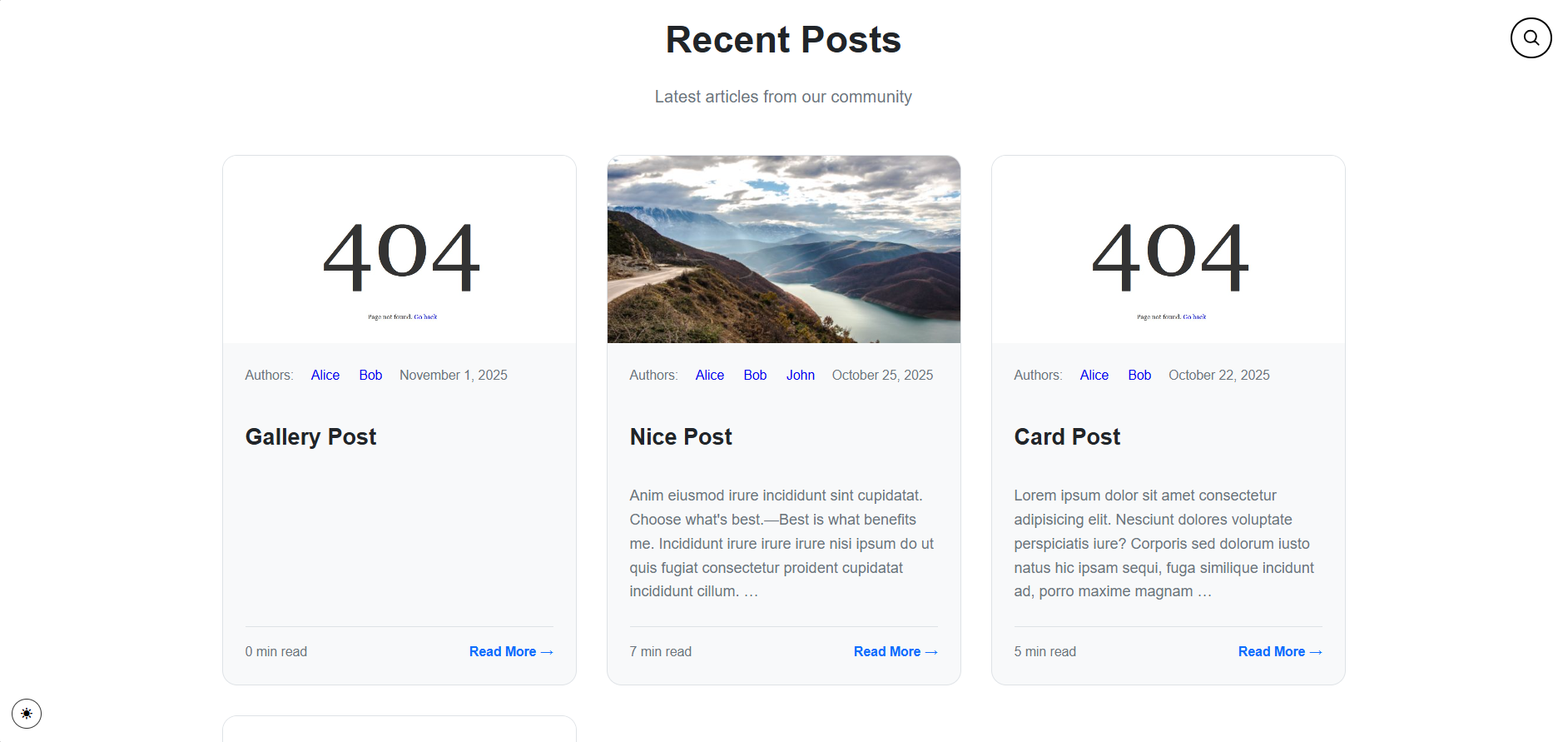
Blog Page Homepage Layout
Configuration Instructions
Only Posts Layout
This layout provides a minimalist approach, displaying only post titles and publication dates.
Configuration Parameters
Navigate to config/params.toml and apply the following configuration:
| |
| Parameter | Value | Description |
|---|---|---|
| onlyPostsInHomePage | true | Enables the posts-only homepage layout |
| dateFormat | 2 Jan 2006 | Defines the date display format (Go time format) |
Additional Notes
- Unused homepage parameters in the
[homepage]section may be removed, commented out, or left unchanged—they will not interfere with this configuration - Introductory content displayed above the post list is sourced from
content/_index.mdand can be customized using standard Markdown syntax
Logo Page Layout
This layout features a centered avatar with essential biographical information and optional social media links.
Configuration Parameters
| |
| Parameter | Type | Description |
|---|---|---|
| onlyPostsInHomePage | boolean | Must be set to false to enable this layout |
| homePageLogo | boolean | Activates the logo-centered layout |
| homePageTitle | string | Primary heading displayed on homepage |
| homePageTagLine | string | Subtitle or catchphrase beneath the title |
| homePageLogoPath | string | Path to avatar image relative to assets/images/ |
| homePageAbout | string | Biographical description text |
| dateFormat | string | Date formatting specification |
| showSocialLinksHome | boolean | Controls social media link visibility |
Image Asset Location
Place your avatar image in the following directory structure:
| |
Reference the image using the relative path: images/avatar.png
Social Media Integration
Social media link visibility is controlled by the showSocialLinksHome parameter:
- When
true: Configured social links are displayed on the homepage - When
false: Social links are hidden from the homepage
Configuring Social Links
Add your social media profiles in hugo.toml:
| |
Note: Only parameters with assigned values will be displayed. To hide specific platforms, remove or comment out the corresponding lines.
Blog Page Layout
The most feature-rich homepage layout, incorporating a hero section with welcome message, newsletter subscription functionality, and enhanced post previews.
Configuration Parameters
| |
| Parameter | Type | Description |
|---|---|---|
| onlyPostsInHomePage | boolean | Must be false to enable blog page layout |
| homePageLogo | boolean | Must be false to activate blog page layout |
| homePageCoverPath | string | Path to hero section background image |
| homePageCoverTitle | string | Primary heading in hero section |
| homePageCoverTagLine | string | Descriptive text displayed in hero section |
| homePageSummaryLength | integer | Maximum character count for post summaries |
| homePagePostDate | boolean | Controls date display in post previews |
| dateFormat | string | Date formatting specification |
Layout Activation Logic
The Blog Page layout is automatically activated when both onlyPostsInHomePage and homePageLogo are set to false. This hierarchical configuration system ensures only one layout is active at any time.
Post Preview Features
The Blog Page layout enhances post displays with:
- Cover images (if specified in post front matter)
- Author attribution
- Publication dates (when enabled)
- Category and tag listings
- Post summaries with configurable length
- Boxed card-style presentation
Layout Selection Guide
Choose the appropriate homepage layout based on your website’s primary purpose:
| Layout | Best For | Key Features |
|---|---|---|
| Only Posts | Content-focused blogs | Minimal design, fast loading, emphasizes content |
| Logo Page | Personal portfolios | Professional presentation, social integration, branding focus |
| Blog Page | Full-featured blogs | Rich media, newsletter integration, enhanced post previews |
Date Format Reference
The dateFormat parameter uses Go’s time formatting syntax. Common formats:
| Format String | Output Example | Description |
|---|---|---|
| 2 Jan 2006 | 23 Nov 2025 | Day, abbreviated month, year |
| January 2, 2006 | November 23, 2025 | Full month name, day, year |
| 2006-01-02 | 2025-11-23 | ISO 8601 format |
| 02/01/2006 | 23/11/2025 | Day/Month/Year |
| Jan 2 | Nov 23 | Abbreviated month and day |